


Your laptop glitches, the screen goes black, and the first thought hits: time for a new one. But in 2026, that knee-jerk upgrade is starting to look like an expensive habit Americans can’t afford.
With the price of electronics still high and today’s machines powerful enough to stay useful for years, more people are choosing to fix what they have instead of replacing it. For many common breakdowns, the “dead laptop” is anything but.
Modern laptops can comfortably handle everyday work, web browsing, spreadsheets, Zoom calls, photo editing, small-business software, even after five or six years. That shift is changing how consumers think about a malfunction: not as a death sentence, but as a repairable problem.
Laptops are built to last longer than most people think
For a lot of users, the performance leap that once made a three-year-old computer feel ancient just isn’t as dramatic anymore. Unless you’re gaming hard, editing heavy video, or running specialized engineering software, a well-specced laptop from a few years ago can still feel fast.
That matters because it changes the math. When a machine still does the job, replacing it because of one failed part can be like buying a new car because you got a flat tire.
Most “fatal” problems aren’t fatal at all
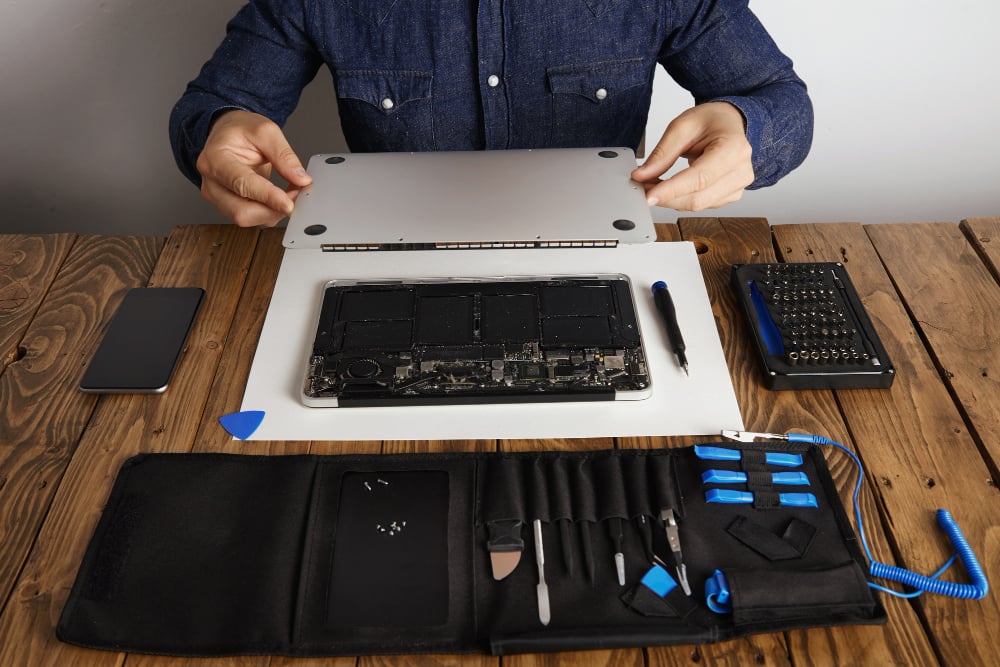
Many laptop failures hit parts that can be replaced without touching the core components, the processor, memory, and storage that determine overall speed.
The most common fixes tend to be straightforward:
· worn-out batteries;
· broken or unresponsive keyboards;
· damaged charging ports and other connectors;
· clogged cooling systems that cause overheating;
· cracked screens or display issues.
In other words, the laptop’s brain often keeps working fine. It’s the peripherals that take the beating from daily use, travel, drops, dust, and heat.
Why repairing is suddenly the smarter money move
Sticker shock is pushing people toward repair. A premium laptop can easily run well over $1,000 in the U.S., and replacing one because of a single component can be wildly out of proportion to the actual problem.
If a repair restores a machine to solid performance for a few more years, it can stretch the value of that original purchase, and delay the next big hit to your budget.
For freelancers, small businesses, and anyone managing a fleet of devices, that approach can also rein in IT spending without sacrificing productivity.
The environmental cost of constant upgrades
There’s also a growing awareness that swapping laptops on a short cycle comes with a real environmental price tag. Manufacturing a computer requires mining raw materials, shipping components around the world, energy-intensive assembly, and more transportation before it ever reaches your doorstep.
Replacing a device early adds to e-waste and locks in the carbon footprint of producing a brand-new machine, when a targeted repair could keep the existing one in service.
Why a scary-looking screen doesn’t always mean a dead computer
Some failures look dramatic, especially anything involving the display. A cracked panel, a black screen, or neon-colored lines can make it feel like the whole laptop is toast.
But those symptoms are often limited to a single part. The rest of the computer may be running normally, which is why many owners are surprised to learn a repair can be both doable and financially sensible.
Get a real diagnosis before you give up on it
Before you decide to replace a laptop, a proper diagnosis is crucial. The symptom you see isn’t always the root cause.
A display problem, for example, might come from a loose connector, a damaged cable, or another peripheral component, not the graphics system itself. A technician’s assessment can pinpoint what’s actually broken and what it would cost to fix.
That step helps avoid unnecessary replacements and turns an emotional decision into a practical one.
Repair vs. replace: the checklist that matters
There’s no one-size-fits-all answer. The right call depends on a few basics:
· the laptop’s age;
· its current resale and real-world usefulness;
· the estimated repair cost;
· the performance you need for work or school;
· the machine’s overall condition.
But in a growing number of cases, repair is the rational choice, especially when the laptop still has plenty of life left and the failure is limited to a replaceable part.
The bigger shift is cultural: fixing a computer isn’t just a last-ditch rescue anymore. It’s becoming a strategy, one that saves money, cuts waste, and keeps perfectly capable machines out of the trash for years longer.

- Prix d’un site internet avec paiement en ligne ? - 21 septembre 2026
- Créer une salle de cinéma dans une maison : guide complet pour un projet réussi - 21 septembre 2026
- Agence web spécialiste e-commerce : les critères qui font vraiment la différence - 18 septembre 2026